
666C Register | Create Account & Start Playing in Pakistan Free
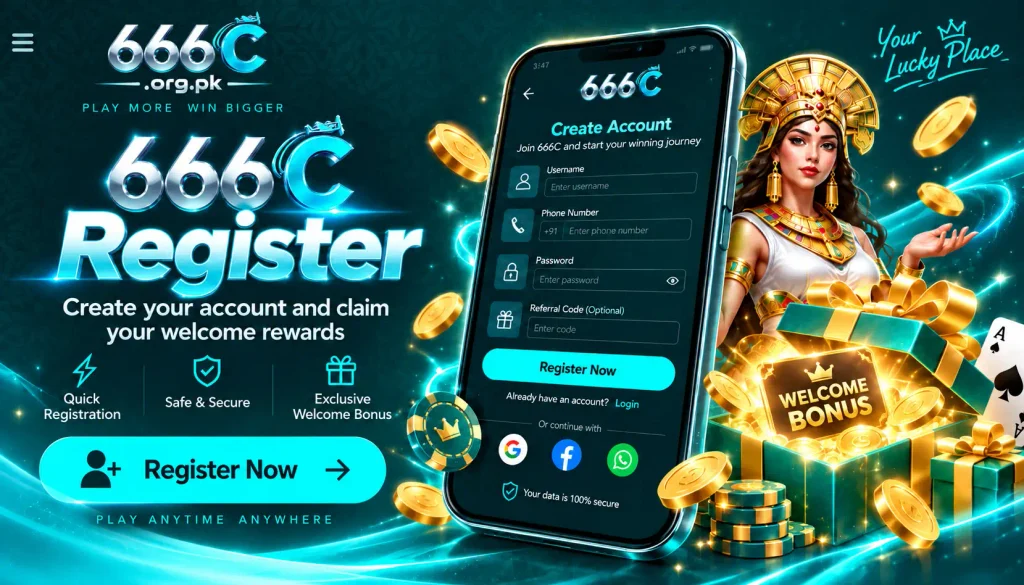
666C Register gives new users a simple way to create an account and access the platform from a mobile phone or other supported device. The registration process is designed to be quick, so Pakistani players can move from the signup screen to their account dashboard without dealing with a long form.
This 666C guide explains the complete 666C Register process, including account creation, verification, login details, common registration problems, security tips, and what to do after opening your account.
What Is 666C Game Register?
666C Register is the account creation process used by new players who want to access the platform. Instead of playing as a guest, a registered user receives a personal account where game activity, payment details, rewards, and account settings can be managed from one place.
The 666 C signup process normally asks for basic information such as a mobile number, password, and any other details displayed on the registration form. Users should always provide correct information because these details may later be needed when signing in or managing account transactions.
A completed registration also makes it easier to return to the platform without creating a new profile every time.
Why Create a 666C Account?
A personal account gives users access to more features than simply opening the website or 666C App.
After completing 666C Register, players can usually access their personal dashboard and move between different sections without repeating the signup process.
Some useful account functions may include:
The exact 66c features displayed may change when the platform updates its interface.
666C Register Requirements
Before starting registration, prepare the information requested by the signup form. This makes the process quicker and also reduces the chance of entering incorrect details.
666C Download Registration Item
Why It Is Needed
Active mobile number
Used for account identification or verification
Strong password
Protects access to the account
Correct personal details
Helps maintain accurate account information
Stable internet connection
Prevents the form from stopping during submission
Updated browser or 666C APK
Helps the registration page load correctly
666C Game Users should check every field before pressing the final registration button.
How to Complete 666C Register
The account creation process is straightforward when the correct steps are followed.
Step 1: Open the Registration Section
Open the official platform page or its supported 666C Login and locate the Register button. It is normally displayed close to the Login option.
Tap or click the registration button to open the signup form.
Step 2: Enter Your Mobile Number in C666
Type an active mobile number in the required field.
Make sure the number is entered correctly because a wrong number can create difficulties later when recovering the account or completing verification.
Step 3: Create a Secure Password 6666c
Choose a password that is easy for you to remember but difficult for another person to guess.
Avoid using simple combinations such as your name followed by 123. A stronger password normally includes letters, numbers, and different characters.
Step 4: Complete the Remaining Fields
Read the registration form carefully and complete any additional fields shown on your screen.
Some versions of the signup page may ask for extra information or a referral code. Only enter information requested directly by the registration form.
Step 5: Review Your Details
Before submitting 666C Game Register, check the mobile number, password, and other details once again.
A quick review can prevent problems caused by spelling mistakes or incorrect numbers.
Step 6: Submit the 666 C Registration Form
Press the Register, Sign Up, or Create Account button shown on the page.
Once the information is accepted, the account should open or direct you toward the login screen.
What to Do After register in 666C Game App
Completing registration is only the beginning. New users should first become familiar with their account dashboard before using other features.
Check Your Profile in 666 C Game
Open the profile or account section and confirm that your information is correct.
If the platform provides account verification options, follow the instructions shown inside your account.
Remember Your Login Information
Keep your registered mobile number and password safe. These details will normally be required whenever you sign in from another browser or device.
Explore the Account Menu
After 666C Register, take a moment to explore the dashboard. Look for sections such as games, wallet, promotions, customer support, deposits, withdrawals, and security.
Knowing where everything is located will make future account use easier.
666C Register from an Android Phone
Android users can normally open the registration screen through a mobile browser or supported application.
After opening the platform, tap Register and complete the required form. Mobile users should make sure their internet connection remains stable until the registration request has been submitted.
If the page does not display correctly, refresh it or reopen it using an updated browser.
666C Register from an iPhone
The process on an iPhone is also simple.
Open the platform using Safari or another supported browser and select the registration option. Enter your required information and submit the form.
The mobile layout may look slightly different from the Android version, but the main 666C Register steps remain largely the same.
How to Keep Your New Account Secure
666 C Account security should start immediately after registration.
Use a password in 666C APK that you do not use on unrelated websites. Never give your login password or verification information to another person claiming they need it to activate your account.
It is also better to access the account through your own phone rather than regularly signing in from unknown devices.
A few simple habits can improve security:
These steps can help protect the profile created through 666C Register.
Common Registration Problems and Easy Fixes
Sometimes a signup form may not work correctly on the first attempt. Most basic registration problems can be solved without creating another account.
Register Button Is Not Working
Check your internet connection and refresh the page. Also make sure all required fields have been completed.
Mobile Number Is Rejected
Review the number for missing or incorrect digits. If the number has already been connected to an existing account, try using the account recovery or login section instead of registering again.
Password Is Not Accepted
The password may not meet the required format. Create a stronger password and follow any instructions displayed beside the password field.
Registration Page Is Not Loading
Clear the browser cache, switch networks, or open the page in another browser. An outdated browser can sometimes cause page-loading problems.
Verification Is Delayed
Wait for the verification process to complete and check that the phone number entered during 666C Game Register is correct. Avoid repeatedly submitting the same form because multiple attempts may create confusion.
Can Pakistani Users Access Payment Features After Registering?
Once an account has been created, users can check the wallet or payment area to see the currently supported methods.
Depending on the options displayed by the platform, Pakistani users may see familiar local payment channels such as JazzCash or Easypaisa. Payment availability, processing requirements, minimum amounts, and other conditions should always be checked directly inside the account before starting a transaction.
666C Game APK Final Words
666C Register provides a simple starting point for users who want their own account and easy access to platform features. Entering the correct mobile number, creating a strong password, and reviewing the signup form carefully can make the entire process smoother.
After completing 666C Register, users can sign in to their dashboard, explore available games and account sections, check payment options, and review any promotions displayed to them. Keep your login information secure and always use the official account access page when returning to the 666C Game Download platform.